Isolated Spaces
Spaces are isolated, access-controlled silos. An automation or agent working in one Space can only use the pages, files, connections, and other context available to that Space. It cannot access data from another Space unless that data has been explicitly made available through a supported feature such as linking Spaces together. This isolation lets you organize an entire Flowglad organization into separate access boundaries. Work for one client, business, project, or internal team does not become available in another Space by default.Connection Ownership and Scoped Access
Connecting an external account to Flowglad does not automatically expose its data to any Space. Only the connection owner can expose that connection to a Space or change the data included by its scope. Organization Admins can disconnect a connection, but they cannot expose it, edit its scope, or expand its access. Many connectors let the owner limit which records a connection makes available:
One authorized account can support multiple independently scoped connections. For example, you can authorize one inbox, create a separate filtered connection for each client, and expose each connection only to that client’s Space. Each Space sees its configured slice of the inbox rather than the entire account.
For guidance on communication data, see Communication channels and Spaces.
Role-Based Access Control
Flowglad applies permissions at both the organization and Space levels. Organization roles are Organization Owner, Organization Admin, and Organization Contributor. Organization Owners and Admins can oversee the organization and access every Space. Other organization members cannot see a Space unless they are directly added to it. Within a Space, a member can be a Space Owner, Space Contributor, or Space Viewer. Space Owners and Contributors can work with the Space’s contents. Space Viewers can read available content but cannot change pages or files, manage automations, approve or reject automation runs, add connections, or create connection requests. See Membership and roles for the complete permission comparison.Human Approval for External Actions
Agents and automations cannot change data in a connected external system by default without human approval. When proposed work would post, send, update, or delete external data, a reviewer must approve or reject the action before Flowglad executes it. A Space member with permission to update an Automation can enable Auto approval for that Automation from the Automations table or choose Always approve while approving one of its pending runs. The choice applies only to future proposals from that Automation; the approval state of existing proposals never changes retroactively. Each change is recorded in the audit log.Auditability
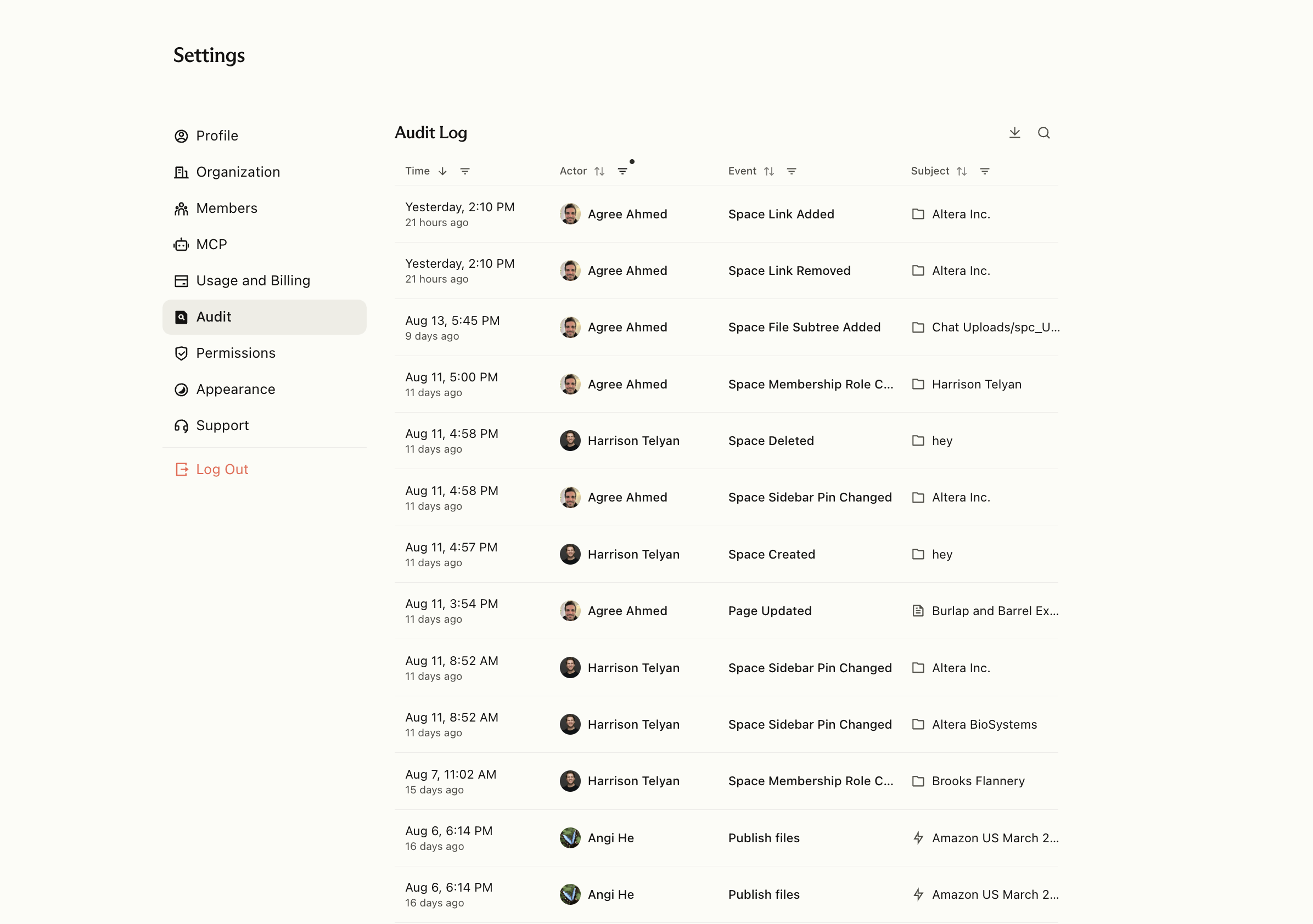
Flowglad maintains an organization-wide audit log of activity across users and Spaces. This creates a record of who performed an action, where it occurred, and what changed, helping administrators investigate events and understand how work and data move through the organization. Organization admins can access it in Settings.